git命令行操作github超时解决方案
设置代理(有代理)
前提情况下 是有代理
端口号是代理服务器本地端口
1 | git config --global http.proxy http://127.0.0.1:1080 |
设置host(无代理)
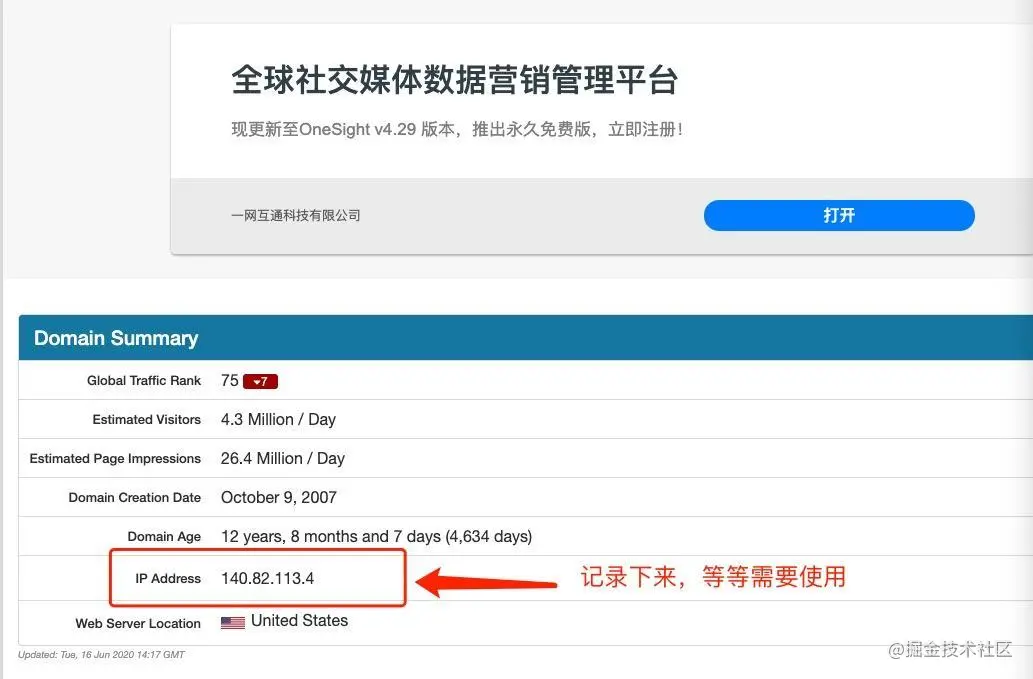
把IP Address 记录下来! 把IP Address 记录下来! 把IP Address 记录下来!
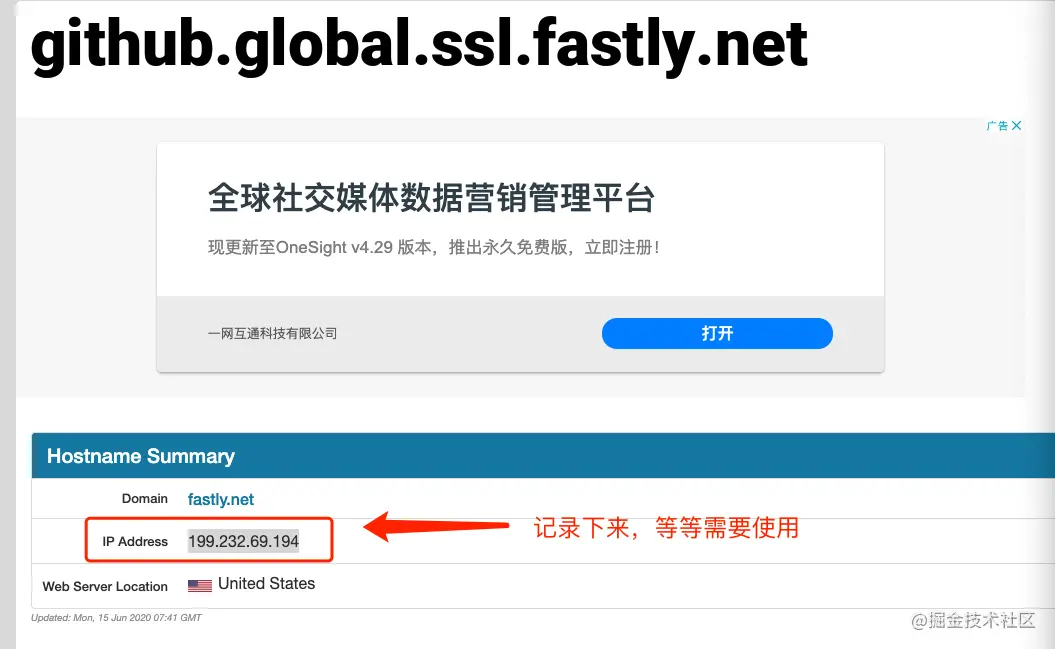
把IP Address 记录下来! 把IP Address 记录下来! 把IP Address 记录下来!
3. 打开https://github.com.ipaddress.com/assets-cdn.github.com 如下图:
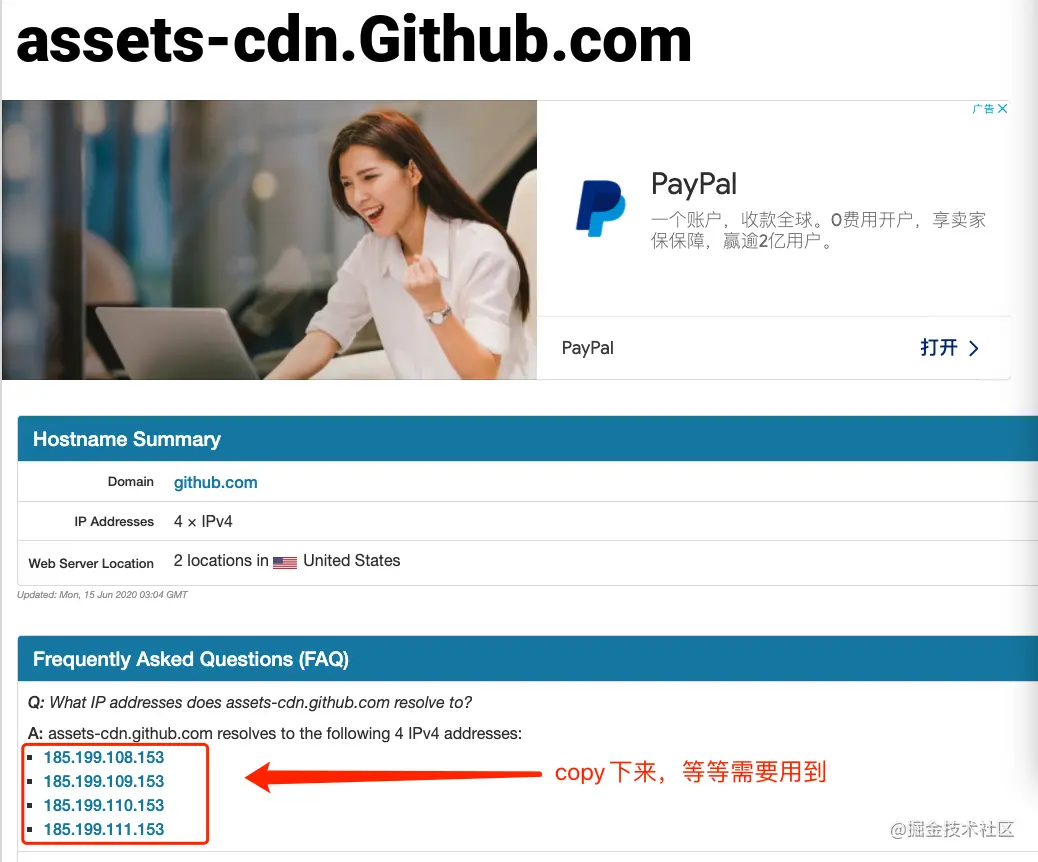
把IP Address 记录下来! 把IP Address 记录下来! 把IP Address 记录下来!
4. 打开电脑的hosts文件,把下列的东东写在最后,然后保存即可
1 | 140.82.113.4(图1的IP Address) github.com |
- 在终端在输以下指令刷新DNS(需要权限)
1
sudo killall -HUP mDNSResponder;say DNS cache has been flushed